
Thumbnail Size Guide for Reels, Shorts & YouTube
Thumbnail and cover sizes that actually get tapped: Reels covers, YouTube 1280×720, Shorts frames, and how to crop a punchy first frame from vertical video.
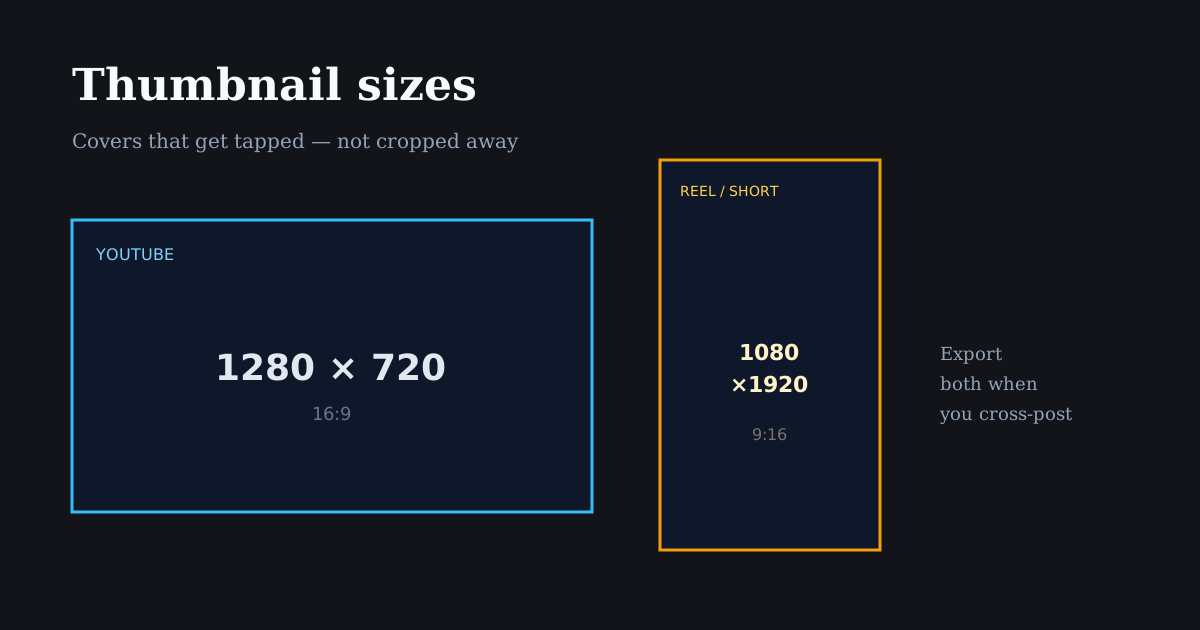
A weak cover frame wastes a strong edit. Treat thumbnails as their own crop: readable faces, high contrast, and sizes that match each platform’s grid or browse surface.
Quick size reference
| Platform | Format | Size | Ratio | Notes |
|---|---|---|---|---|
| YouTube | Custom thumbnail | 1280×720 | 16:9 | Standard clickable thumbnail |
| Reel cover (from vertical) | 1080×1920 | 9:16 | Pick a strong frame; grid may center-crop | |
| YouTube | Shorts frame | 1080×1920 | 9:16 | Vertical; browse UI still matters |
| TikTok | Cover frame | 1080×1920 | 9:16 | Choose cover in TikTok after upload |
YouTube thumbnail size (still the CTR king)
Custom YouTube thumbnails should be 1280×720 (16:9). Keep file size reasonable and export a sharp JPG or PNG. Faces should be large, text short, and contrast high enough to read on mobile browse.
Do not design YouTube thumbnails at 9:16 and hope. The browse surface is landscape — a vertical still will be cropped or letterboxed in ways that hide your hook.
If your source is a Reel, export a separate 16:9 still: reframe the hero moment horizontally in Resize Image or capture a landscape alternate take.
Instagram Reel covers and profile grid
Reel covers start from your vertical video. Instagram’s profile grid often shows a center-weighted crop of that cover, so put the face or product in the middle third — not only in a cinematic wide shot with empty center space.
Add cover text sparingly and keep it inside the center safe area. Grid tiles are small; three words beat a paragraph.
Export or choose a cover frame that matches the promise of the first two seconds. Misleading covers hurt saves and returning viewers even if they boost a first tap.
Shorts and TikTok cover frames
Both surfaces are vertical. Your “thumbnail” is often a selected frame from the 9:16 master. Prioritize expression, product clarity, and contrast over decorative end cards.
Because UI chrome still overlays playback, avoid cover text in the lower fifth or far-right strip — the same safe-area rules as the video itself.
When one idea ships to YouTube + Shorts + Reels, budget time for two covers: 16:9 for YouTube and a vertical frame for short-form grids.
How to make thumbnails in Reels Editor
For vertical covers, scrub to the strongest frame while editing, or crop a still with Resize Image / Crop Image to 1080×1920 and export PNG.
For YouTube, switch to the 1280×720 preset, place the subject large, and export. Avoid tiny faces — mobile CTR depends on recognizability at small sizes.
Keep a folder of winning covers. Reuse layout templates (face left, text right, brand mark) so your channel looks intentional.
Frequently asked questions
- What size should a YouTube thumbnail be?
- 1280×720 pixels (16:9) is the standard custom thumbnail size.
- What size is an Instagram Reel cover?
- Covers come from your 9:16 Reel (typically 1080×1920). Design for a center-weighted grid crop.
- Can I use the same thumbnail for YouTube and Reels?
- Not optimally. YouTube needs 16:9; Reels/TikTok/Shorts need a strong vertical frame. Export both from the same shoot when possible.