Reels Editor — 무료 사진 및 동영상 도구Reels Editor
  • 도구
    이미지
    • 이미지 흐리게
    • 이미지 크기 조정
    • 배경 제거
    • 이미지 자르기
    • 이미지 픽셀화
    동영상
    • 온라인 릴스 편집
    • 동영상 크기 조정
    • 동영상 자르기
    • 동영상 필터
    • 전환 효과
    • 로고 편집기
    • 릴스에 이미지 추가
    • 동영상 배속
    • MP4 압축
    • 오디오 추가
    변환
    동영상 → GIF
    • MP4 → GIF
    • 동영상 → GIF
    • MOV → GIF
    • WebM → GIF
    이미지 형식
    • PNG → JPG
    • JPG → PNG
    • PNG → WebP
    • WebP → PNG
    • JPG → WebP
    • WebP → JPG
    • HEIC → JPG
    • HEIC → PNG
    모든 변환 도구
    모든 도구 보기 →
  • 가이드
    얼티밋 가이드
    • 바이럴 릴스 만들기🔥 추천
    • 블로그용 이미지 편집
    • 릴스 온라인 편집
    • 인스타그램 릴스 크기
    • 틱톡 영상 편집
    • 유튜브 쇼츠
    • 릴스 브랜딩
    모든 가이드 보기 →
  • 온라인 릴스 편집
  • 블로그
  • 동영상 크기 조정
Reels Editor무료 사진 & 동영상 도구
메인
모든 도구온라인 릴스 편집
이미지
이미지 흐리게이미지 크기 조정배경 제거이미지 자르기이미지 픽셀화
동영상
온라인 릴스 편집동영상 크기 조정동영상 자르기동영상 필터전환 효과로고 편집기릴스에 이미지 추가동영상 배속MP4 압축오디오 추가
변환
모든 변환MP4 → GIF동영상 → GIFMOV → GIFWebM → GIFPNG → JPGJPG → PNGPNG → WebPWebP → PNGJPG → WebPWebP → JPGHEIC → JPGHEIC → PNG
얼티밋 가이드
모든 가이드바이럴 릴스 만들기🔥 추천블로그용 이미지 편집릴스 온라인 편집인스타그램 릴스 크기틱톡 영상 편집유튜브 쇼츠릴스 브랜딩
리소스
블로그
Reels Editor

Instagram Reels, TikTok, YouTube Shorts를 위한 무료 브라우저 사진·동영상 도구.

파일은 브라우저를 떠나지 않습니다.

© 2026 Reels Editor

인기 도구

  • 이미지 배경 제거
  • 릴스에 이미지 추가
  • 온라인 이미지 흐리게
  • Instagram용 동영상 크기 조정
  • 온라인 동영상 자르기
  • 동영상에 로고 추가
  • 온라인 동영상 필터
  • 온라인 MP4 압축
  • 온라인 MP4 → GIF 변환
  • 온라인 PNG → JPG 변환

리소스

  • 가이드
  • 블로그
  • 고객센터
  • 온라인 릴스 편집
  • 소개

법적 고지

  • 개인정보 처리방침
  • 이용약관
  • 문의
Home/Blog/Best crop sizes for Reels and Shorts
← Back to the blog

Table of contents

  1. Primary crops that cover most uploads
  2. Batch consistency
Resize video to these sizes →
Format GuideJan 22, 2026

Best crop sizes for Reels and Shorts

Use 9:16 for vertical Reels and Shorts, 4:5 for feed previews, and keep safe margins for captions and UI so key subjects never get covered.
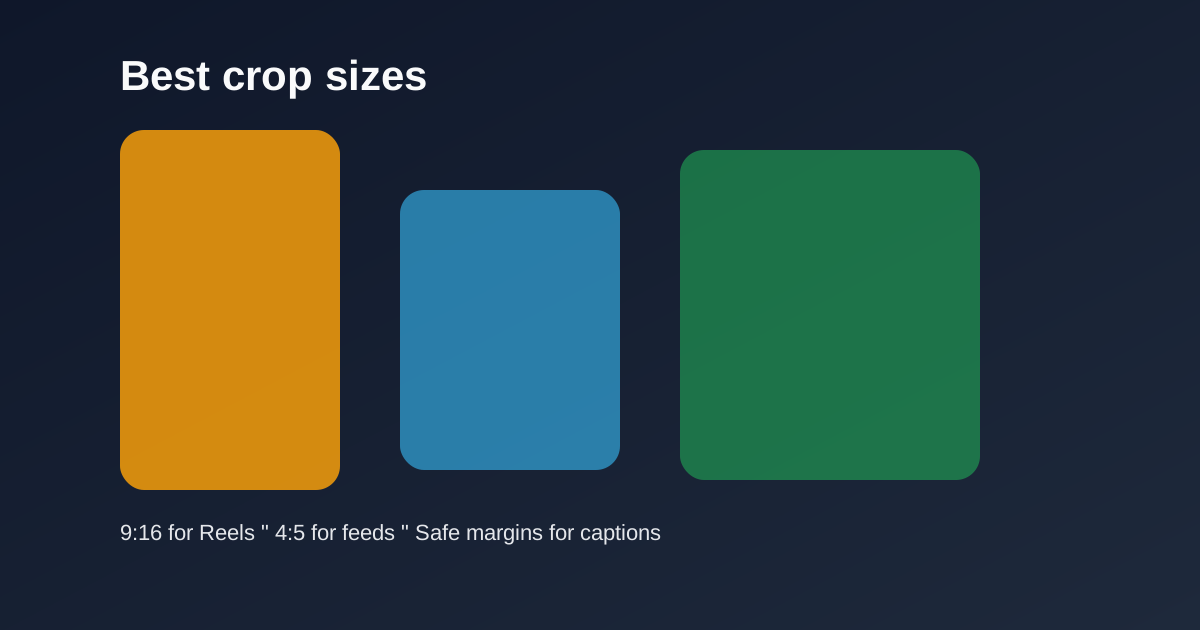
Common crop windows for 9:16 Reels and YouTube Shorts

Cropping is the difference between a full-screen vertical story and a letterboxed afterthought. Lock sizes before you polish color or transitions.

Quick size reference

PlatformFormatSizeRatioNotes
Reels / TikTok / ShortsFull-screen vertical1080×19209:16Default master
InstagramFeed-friendly portrait1080×13504:5Secondary crop

Primary crops that cover most uploads

9:16 at 1080×1920 is the master for Reels, TikTok, and Shorts. 4:5 at 1080×1350 is the optional feed-friendly portrait when you need a non-fullscreen Instagram crop.

Keep faces centered with headroom. Leave the bottom clearer than feels natural on a desktop monitor — mobile captions live there.

Batch consistency

Save crop dimensions mentally or in your checklist so every episode in a series matches. Inconsistent framing makes a feed look accidental.

Export two versions only when you truly need both surfaces. Otherwise ship the 9:16 master and move on.

Related reading

  • WorkflowHow to Resize a Video for Instagram ReelsResize a video for Instagram Reels in the browser: pick 1080×1920 (9:16), reframe any source, skip black bars, then export MP4 before you upload.
  • GuideBest Reel Size Guide (2026)The best reel size in 2026 is 1080×1920 (9:16). Use this guide for Instagram, TikTok, and YouTube Shorts — plus safe margins and export tips.
  • GuideTikTok Aspect Ratio ExplainedTikTok’s native aspect ratio is 9:16 (1080×1920). Learn what happens with 16:9 uploads, how UI overlays crop attention, and how to reframe landscape footage.
  • GuideHow to Edit Images for a Blog: The Ultimate GuideLearn how to edit images for a blog the right way: sizes, crops, formats, compression, featured images, mobile prep, and image SEO — with browser tools for each step.

Frequently asked questions

What crop size should I use for Shorts?
9:16 — typically 1080×1920.
When do I use 4:5?
For Instagram portrait feed posts or previews where full-screen 9:16 is not required.

더 알아보기

Tools to apply this guide

무료 사진·동영상 편집기 — 비공개, 브라우저 기반, 계정 불필요.

  • Resize videos for InstagramResize videos online for Instagram Reels, TikTok, YouTube Shorts and other social platforms.→
  • Crop images for InstagramCrop any photo to the aspect ratio you need in seconds.→
  • Resize images to exact dimensionsChange the pixel dimensions of any photo without desktop software.→
  • Trim videos onlineCut long footage into short clips optimized for social media.→