Reels Editor — أدوات صور وفيديو مجانيةReels Editor
  • الأدوات
    صورة
    • تمويه الصورة
    • تغيير حجم الصورة
    • إزالة الخلفية
    • قص الصورة
    • بكسلة الصورة
    فيديو
    • تحرير الريلز عبر الإنترنت
    • تغيير حجم الفيديو
    • قص الفيديو
    • فلاتر الفيديو
    • الانتقالات
    • محرر الشعار
    • إضافة صورة إلى الريل
    • تسريع الفيديو
    • ضاغط MP4
    • إضافة صوت
    المحوّلات
    فيديو إلى GIF
    • MP4 إلى GIF
    • فيديو إلى GIF
    • MOV إلى GIF
    • WebM إلى GIF
    تنسيقات الصور
    • PNG إلى JPG
    • JPG إلى PNG
    • PNG إلى WebP
    • WebP إلى PNG
    • JPG إلى WebP
    • WebP إلى JPG
    • HEIC إلى JPG
    • HEIC إلى PNG
    جميع المحوّلات
    عرض جميع الأدوات ←
  • تحرير الريلز عبر الإنترنت
  • إزالة الخلفية
  • إضافة صورة إلى الريل
  • تمويه الصورة
  • تغيير حجم الفيديو
Reels Editorأدوات صور وفيديو مجانية
رئيسي
جميع الأدواتتحرير الريلز عبر الإنترنت
صورة
تمويه الصورةتغيير حجم الصورةإزالة الخلفيةقص الصورةبكسلة الصورة
فيديو
تحرير الريلز عبر الإنترنتتغيير حجم الفيديوقص الفيديوفلاتر الفيديوالانتقالاتمحرر الشعارإضافة صورة إلى الريلتسريع الفيديوضاغط MP4إضافة صوت
المحوّلات
جميع المحوّلاتMP4 إلى GIFفيديو إلى GIFMOV إلى GIFWebM إلى GIFPNG إلى JPGJPG إلى PNGPNG إلى WebPWebP إلى PNGJPG إلى WebPWebP إلى JPGHEIC إلى JPGHEIC إلى PNG
الموارد
الأدلةالمدونة
Reels Editor

أدوات صور وفيديو مجانية في المتصفح لإنستغرام ريلز وتيك توك ويوتيوب شورتس.

© 2026 Reels Editor

أدوات شائعة

  • إزالة خلفية الصور
  • إضافة صورة إلى الريل
  • تمويه الصورة عبر الإنترنت
  • تغيير حجم الفيديو لإنستغرام
  • قص الفيديو عبر الإنترنت
  • إضافة شعار إلى الفيديو
  • تطبيق فلاتر الفيديو عبر الإنترنت
  • ضاغط MP4 عبر الإنترنت
  • تحويل MP4 إلى GIF عبر الإنترنت
  • تحويل PNG إلى JPG عبر الإنترنت

الموارد

  • الأدلة
  • المدونة
  • مركز المساعدة
  • تحرير الريلز عبر الإنترنت
  • من نحن

قانوني

  • سياسة الخصوصية
  • الشروط والأحكام
  • اتصل بنا
Home/Blog/Smooth transitions without over-editing
StorytellingJan 20, 2026

Updated: Transition timing for vertical short-form pacing.

Smooth transitions without over-editing

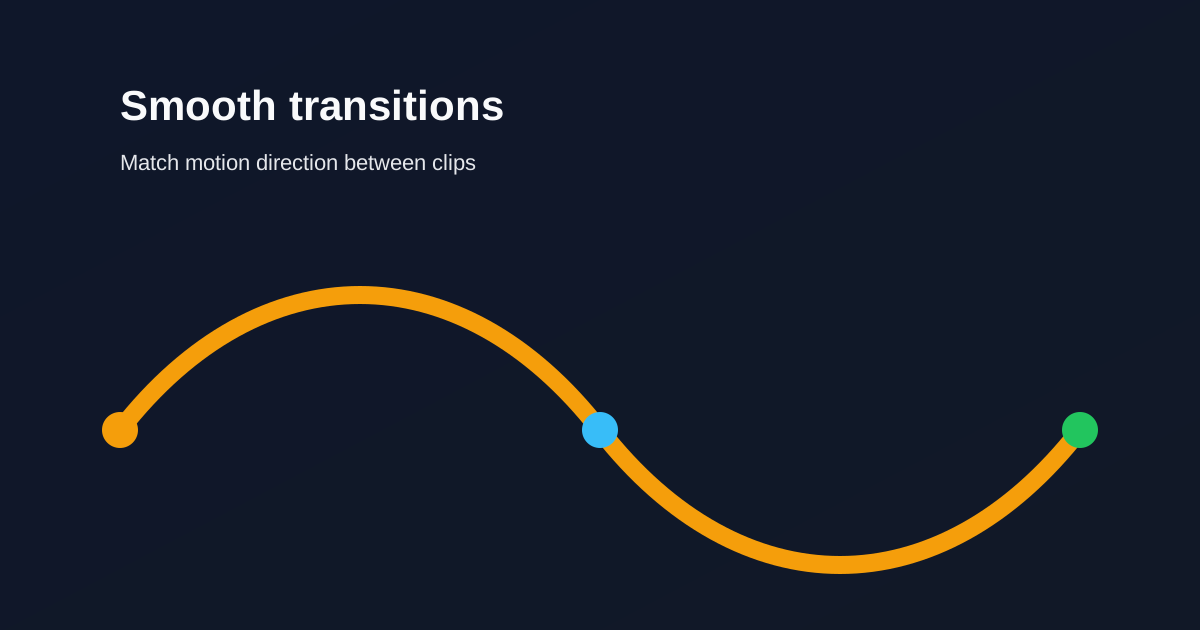
Keep transitions short and purposeful. Match motion direction between clips so edits feel intentional instead of decorative.
Smooth transitions without over-editing

In vertical video, every transition occupies the whole phone. If it does not serve the story, cut hard instead.

Table of contents

  1. Timing rules for short-form
  2. When a hard cut is better

Timing rules for short-form

Keep most transitions under ~0.4 seconds. Long dissolves slow Reels and TikToks. Match motion direction so the eye continues across the cut.

Use one transition style per sequence. Mixing wipes, spins, and zooms in thirty seconds reads as noise.

When a hard cut is better

Reserve stylized transitions for scene changes, not every sentence. Cut on beats when music leads. Pre-align similar frames so continuity feels natural without effects.

Related reading

  • Hook viewers in the first 2 secondsEditing Technique
  • Audio timing tips for higher retentionAudio
  • Best AI Reel Editor Tools (2026)Tool Guide
  • Best Instagram Reel Editor Options (2026)Tool Guide

اكتشف المزيد

Tools to apply this guide

محررات صور وفيديو مجانية — خاصة، تعمل في المتصفح، ولا تحتاج إلى حساب.

  • Trim videos onlineCut long footage into short clips optimized for social media.→
  • Add transitions to videoInsert a transition clip at an exact timestamp in your base video to create smoother scene changes.→

Frequently asked questions

How long should a Reel transition be?
Short — often under 0.4 seconds — unless the transition is the joke or the reveal.

Resize video to these sizes →

← Back to the blog