Reels Editor — ferramentas grátis de foto e vídeoReels Editor
  • Ferramentas
    Imagem
    • Desfocar imagem
    • Redimensionar imagem
    • Remover fundo
    • Cortar imagem
    • Pixelizar imagem
    Vídeo
    • Editar Reels online
    • Redimensionar vídeo
    • Cortar vídeo
    • Filtros de vídeo
    • Transições
    • Editor de logo
    • Adicionar imagem ao Reel
    • Acelerar vídeo
    • Compressor MP4
    • Adicionar áudio
    Conversores
    Vídeo para GIF
    • MP4 para GIF
    • Vídeo para GIF
    • MOV para GIF
    • WebM para GIF
    Formatos de imagem
    • PNG para JPG
    • JPG para PNG
    • PNG para WebP
    • WebP para PNG
    • JPG para WebP
    • WebP para JPG
    • HEIC para JPG
    • HEIC para PNG
    Todos os conversores
    Ver todas as ferramentas →
  • Guias
    Guias definitivos
    • Fazer um Reel viral🔥 Destaque
    • Editar imagens para um blog
    • Editar Reels online
    • Tamanho Reels Instagram
    • Edição de vídeo TikTok
    • YouTube Shorts
    • Branding em Reels
    Ver todos os guias →
  • Editar Reels online
  • Blog
  • Redimensionar vídeo
Reels EditorFerramentas grátis de foto e vídeo
Principal
Todas as ferramentasEditar Reels online
Imagem
Desfocar imagemRedimensionar imagemRemover fundoCortar imagemPixelizar imagem
Vídeo
Editar Reels onlineRedimensionar vídeoCortar vídeoFiltros de vídeoTransiçõesEditor de logoAdicionar imagem ao ReelAcelerar vídeoCompressor MP4Adicionar áudio
Conversores
Todos os conversoresMP4 para GIFVídeo para GIFMOV para GIFWebM para GIFPNG para JPGJPG para PNGPNG para WebPWebP para PNGJPG para WebPWebP para JPGHEIC para JPGHEIC para PNG
Guias definitivos
Todos os guiasFazer um Reel viral🔥 DestaqueEditar imagens para um blogEditar Reels onlineTamanho Reels InstagramEdição de vídeo TikTokYouTube ShortsBranding em Reels
Recursos
Blog
Reels Editor

Ferramentas grátis de foto e vídeo no navegador para Instagram Reels, TikTok e YouTube Shorts.

Os seus ficheiros nunca saem do navegador.

© 2026 Reels Editor

Ferramentas populares

  • Remover fundo de imagens
  • Adicionar imagem ao reel
  • Desfocar imagem online
  • Redimensionar vídeos para Instagram
  • Cortar vídeos online
  • Adicionar logo ao vídeo
  • Aplicar filtros de vídeo online
  • Compressor MP4 online
  • Converter MP4 para GIF online
  • Converter PNG para JPG online

Recursos

  • Guias
  • Blog
  • Central de ajuda
  • Editar Reels online
  • Sobre

Legal

  • Política de privacidade
  • Termos e condições
  • Contato
Home/Blog/Thumbnail Size Guide for Reels, Shorts & YouTube
← Back to the blog

Table of contents

  1. YouTube thumbnail size (still the CTR king)
  2. Instagram Reel covers and profile grid
  3. Shorts and TikTok cover frames
  4. How to make thumbnails in Reels Editor
Resize video to these sizes →
Format GuideJul 7, 2026

Thumbnail Size Guide for Reels, Shorts & YouTube

Thumbnail and cover sizes that actually get tapped: Reels covers, YouTube 1280×720, Shorts frames, and how to crop a punchy first frame from vertical video.
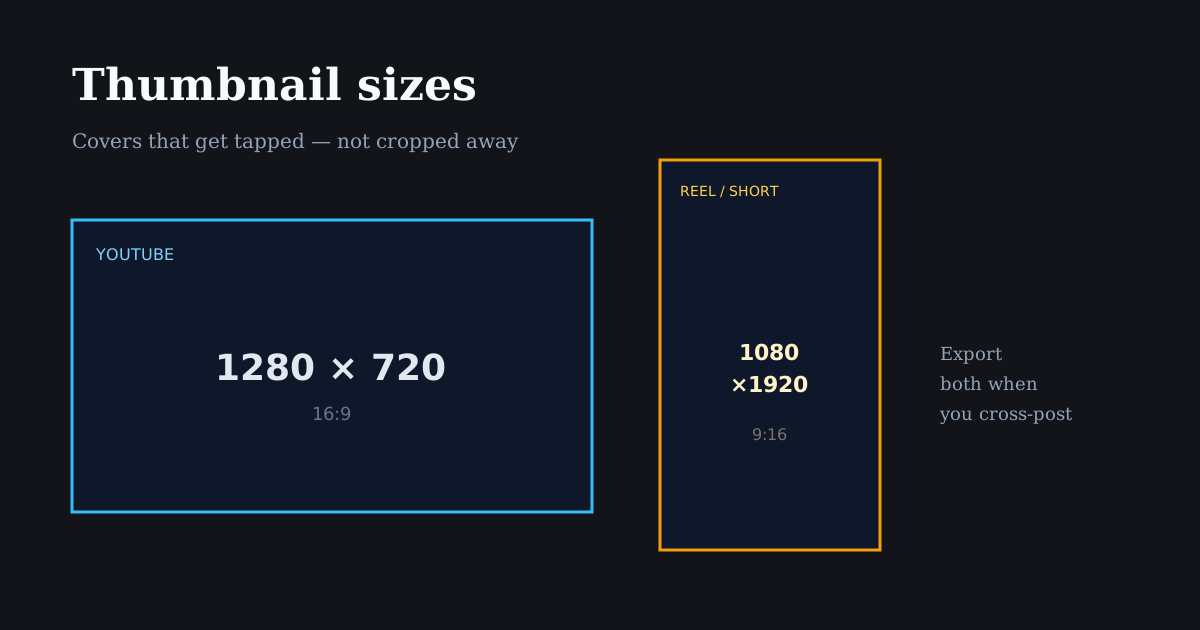
Cover image sizes for Reels, Shorts, and YouTube posters

A weak cover frame wastes a strong edit. Treat thumbnails as their own crop: readable faces, high contrast, and sizes that match each platform’s grid or browse surface.

Quick size reference

PlatformFormatSizeRatioNotes
YouTubeCustom thumbnail1280×72016:9Standard clickable thumbnail
InstagramReel cover (from vertical)1080×19209:16Pick a strong frame; grid may center-crop
YouTubeShorts frame1080×19209:16Vertical; browse UI still matters
TikTokCover frame1080×19209:16Choose cover in TikTok after upload

YouTube thumbnail size (still the CTR king)

Custom YouTube thumbnails should be 1280×720 (16:9). Keep file size reasonable and export a sharp JPG or PNG. Faces should be large, text short, and contrast high enough to read on mobile browse.

Do not design YouTube thumbnails at 9:16 and hope. The browse surface is landscape — a vertical still will be cropped or letterboxed in ways that hide your hook.

If your source is a Reel, export a separate 16:9 still: reframe the hero moment horizontally in Resize Image or capture a landscape alternate take.

Instagram Reel covers and profile grid

Reel covers start from your vertical video. Instagram’s profile grid often shows a center-weighted crop of that cover, so put the face or product in the middle third — not only in a cinematic wide shot with empty center space.

Add cover text sparingly and keep it inside the center safe area. Grid tiles are small; three words beat a paragraph.

Export or choose a cover frame that matches the promise of the first two seconds. Misleading covers hurt saves and returning viewers even if they boost a first tap.

Shorts and TikTok cover frames

Both surfaces are vertical. Your “thumbnail” is often a selected frame from the 9:16 master. Prioritize expression, product clarity, and contrast over decorative end cards.

Because UI chrome still overlays playback, avoid cover text in the lower fifth or far-right strip — the same safe-area rules as the video itself.

When one idea ships to YouTube + Shorts + Reels, budget time for two covers: 16:9 for YouTube and a vertical frame for short-form grids.

How to make thumbnails in Reels Editor

For vertical covers, scrub to the strongest frame while editing, or crop a still with Resize Image / Crop Image to 1080×1920 and export PNG.

For YouTube, switch to the 1280×720 preset, place the subject large, and export. Avoid tiny faces — mobile CTR depends on recognizability at small sizes.

Keep a folder of winning covers. Reuse layout templates (face left, text right, brand mark) so your channel looks intentional.

Related reading

  • GuideSocial Media Size Cheat SheetCopy-ready social media sizes for Instagram, TikTok, YouTube, Facebook, LinkedIn, X, and Pinterest — plus which ratio to use when you only have time for one export.
  • GuideInstagram Reel DimensionsInstagram Reel dimensions are 1080×1920 (9:16). Compare Reels vs Stories vs 4:5 feed crops, caption safe zones, and export settings that stay sharp.
  • GuideBest Reel Size Guide (2026)The best reel size in 2026 is 1080×1920 (9:16). Use this guide for Instagram, TikTok, and YouTube Shorts — plus safe margins and export tips.
  • GuideSafe Area Generator for Reels & TikTokGenerate safe areas for Reels and TikTok before you export. Keep faces, captions, and logos clear of platform UI with simple margin rules and a browser crop preview.

Frequently asked questions

What size should a YouTube thumbnail be?
1280×720 pixels (16:9) is the standard custom thumbnail size.
What size is an Instagram Reel cover?
Covers come from your 9:16 Reel (typically 1080×1920). Design for a center-weighted grid crop.
Can I use the same thumbnail for YouTube and Reels?
Not optimally. YouTube needs 16:9; Reels/TikTok/Shorts need a strong vertical frame. Export both from the same shoot when possible.

Explore mais

Tools to apply this guide

Editores gratuitos de foto e vídeo — privados, no navegador e sem conta.

  • Resize images to exact dimensionsChange the pixel dimensions of any photo without desktop software.→
  • Crop images for InstagramCrop any photo to the aspect ratio you need in seconds.→
  • Resize videos for InstagramResize videos online for Instagram Reels, TikTok, YouTube Shorts and other social platforms.→