Reels Editor — strumenti gratis di foto e videoReels Editor
  • Strumenti
    Immagine
    • Sfoca immagine
    • Ridimensiona immagine
    • Rimuovi sfondo
    • Ritaglia immagine
    • Pixelizza immagine
    Video
    • Modifica Reels online
    • Ridimensiona video
    • Taglia video
    • Filtri video
    • Transizioni
    • Editor logo
    • Aggiungi immagine al Reel
    • Accelera video
    • Compressore MP4
    • Aggiungi audio
    Convertitori
    Video in GIF
    • MP4 in GIF
    • Video in GIF
    • MOV in GIF
    • WebM in GIF
    Formati immagine
    • PNG in JPG
    • JPG in PNG
    • PNG in WebP
    • WebP in PNG
    • JPG in WebP
    • WebP in JPG
    • HEIC in JPG
    • HEIC in PNG
    Tutti i convertitori
    Vedi tutti gli strumenti →
  • Guide
    Guide definitive
    • Creare un Reel virale🔥 In evidenza
    • Modificare immagini per un blog
    • Modificare Reels online
    • Dimensioni Reels Instagram
    • Montaggio video TikTok
    • YouTube Shorts
    • Branding Reels
    Vedi tutte le guide →
  • Modifica Reels online
  • Blog
  • Ridimensiona video
Reels EditorStrumenti gratis di foto e video
Principale
Tutti gli strumentiModifica Reels online
Immagine
Sfoca immagineRidimensiona immagineRimuovi sfondoRitaglia immaginePixelizza immagine
Video
Modifica Reels onlineRidimensiona videoTaglia videoFiltri videoTransizioniEditor logoAggiungi immagine al ReelAccelera videoCompressore MP4Aggiungi audio
Convertitori
Tutti i convertitoriMP4 in GIFVideo in GIFMOV in GIFWebM in GIFPNG in JPGJPG in PNGPNG in WebPWebP in PNGJPG in WebPWebP in JPGHEIC in JPGHEIC in PNG
Guide definitive
Tutte le guideCreare un Reel virale🔥 In evidenzaModificare immagini per un blogModificare Reels onlineDimensioni Reels InstagramMontaggio video TikTokYouTube ShortsBranding Reels
Risorse
Blog
Reels Editor

Strumenti gratis di foto e video nel browser per Instagram Reels, TikTok e YouTube Shorts.

I tuoi file non lasciano mai il browser.

© 2026 Reels Editor

Strumenti popolari

  • Rimuovi sfondo dalle immagini
  • Aggiungi immagine al reel
  • Sfoca immagine online
  • Ridimensiona video per Instagram
  • Taglia video online
  • Aggiungi logo al video
  • Applica filtri video online
  • Compressore MP4 online
  • Converti MP4 in GIF online
  • Converti PNG in JPG online

Risorse

  • Guide
  • Blog
  • Centro assistenza
  • Modifica Reels online
  • Chi siamo

Legale

  • Privacy policy
  • Termini e condizioni
  • Contatti
Home/Blog/Instagram Reel Dimensions
← Back to the blog

Table of contents

  1. Exact Instagram Reel dimensions
  2. Reels vs feed: when 4:5 still matters
  3. Caption and sticker safe areas on Instagram
  4. Export settings that stay sharp on Instagram
Resize video to these sizes →
Format GuideJul 9, 2026

Instagram Reel Dimensions

Instagram Reel dimensions are 1080×1920 (9:16). Compare Reels vs Stories vs 4:5 feed crops, caption safe zones, and export settings that stay sharp.
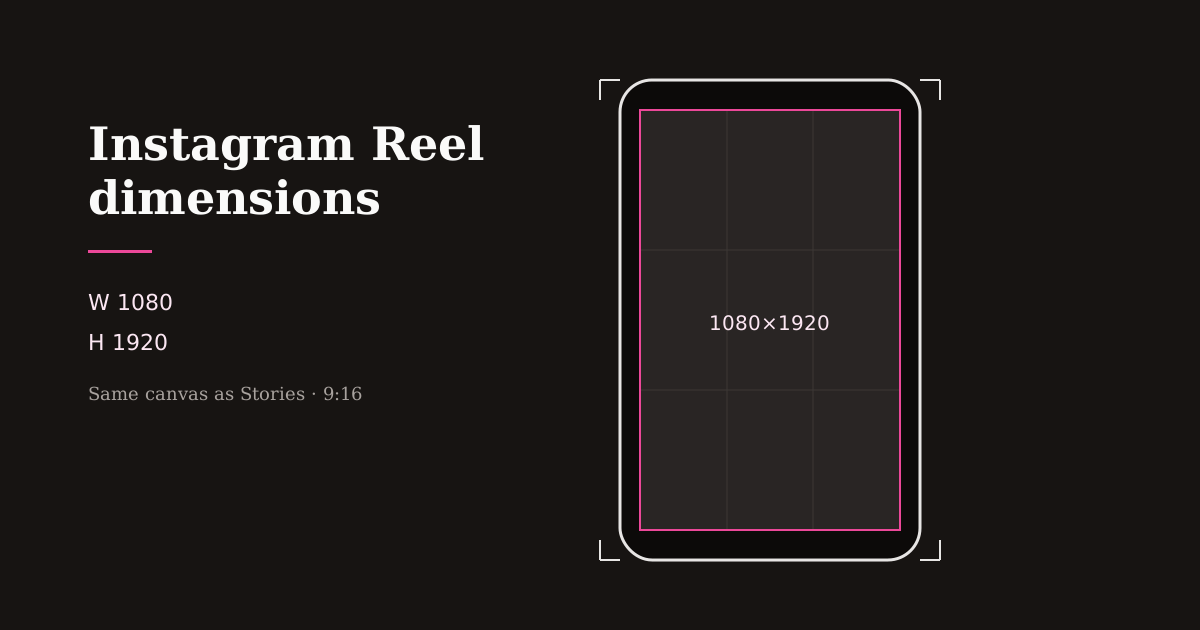
Instagram vertical frame specs at 1080 by 1920 pixels

Instagram Reels share the Stories canvas: full-screen vertical video. Get the dimensions right once and your captions, stickers, and cover frames stop colliding with Instagram’s chrome.

Quick size reference

PlatformFormatSizeRatioNotes
InstagramReels1080×19209:16Full-screen playback
InstagramStories1080×19209:16Same pixel size as Reels
InstagramPortrait feed post1080×13504:5Feed grid / non-Reel posts
InstagramSquare post1080×10801:1Feed only — not ideal for Reels

Exact Instagram Reel dimensions

Use 1080×1920 pixels (9:16). That is the size Instagram expects for immersive Reels playback and the size most creator tools label as Reels & Stories.

Stories use the same dimensions, which is why a single vertical master can cover both surfaces. The creative difference is duration, stickers, and link stickers — not the canvas size.

Avoid uploading landscape masters and hoping Instagram “fixes” them. Center-crop automation does not know which product or face matters.

Reels vs feed: when 4:5 still matters

Reels play full-screen in 9:16. Classic portrait feed posts often look best at 4:5 (1080×1350) because that ratio occupies more feed real estate without forcing a full-screen swipe.

If a campaign needs both a Reel and a static or carousel feed asset, export two sizes from the same source: 9:16 for the Reel and 4:5 for the feed crop. Do not stretch one into the other.

Profile grids show cover frames — treat the opening second of your Reel like a thumbnail. Strong first frames outperform decorative end cards that never appear in the grid.

Caption and sticker safe areas on Instagram

Username, captions, and audio labels compete along the bottom of Reels. Stickers and interactive elements can also cover mid-lower areas in Stories.

Keep primary subjects centered with extra bottom padding. Place burned-in captions higher than the platform caption field so mute viewers can still read your message if Instagram’s caption overlaps.

Preview after adding text in Reels Editor or in Instagram’s draft tools. What looks fine on a desktop canvas often collides with mobile UI.

Export settings that stay sharp on Instagram

Export a clean MP4 at 1080×1920. Prefer a single high-quality encode over re-downloading a Reel from Instagram to repost elsewhere — each hop softens detail.

In Resize Video, lock the Reels preset, center the subject, then download. Add logos only after the crop is final so branding lands inside safe margins.

For series content, reuse the same dimensions and margin rules. Cohesive framing reads as a brand even before viewers recognize your face or product.

Related reading

  • WorkflowHow to Resize a Video for Instagram ReelsResize a video for Instagram Reels in the browser: pick 1080×1920 (9:16), reframe any source, skip black bars, then export MP4 before you upload.
  • GuideBest Reel Size Guide (2026)The best reel size in 2026 is 1080×1920 (9:16). Use this guide for Instagram, TikTok, and YouTube Shorts — plus safe margins and export tips.
  • GuideSafe Area Generator for Reels & TikTokGenerate safe areas for Reels and TikTok before you export. Keep faces, captions, and logos clear of platform UI with simple margin rules and a browser crop preview.
  • GuideSocial Media Size Cheat SheetCopy-ready social media sizes for Instagram, TikTok, YouTube, Facebook, LinkedIn, X, and Pinterest — plus which ratio to use when you only have time for one export.

Frequently asked questions

What are Instagram Reel dimensions?
1080×1920 pixels at a 9:16 aspect ratio.
Are Instagram Stories the same size as Reels?
Yes. Both use 1080×1920 (9:16). Creative tools differ; the canvas size matches.
Should Reels be 4:5?
No. Full-screen Reels should be 9:16. Use 4:5 for portrait feed posts when you need a non-Reel feed crop.

Scopri di più

Tools to apply this guide

Editor foto e video gratuiti — privati, nel browser, senza account.

  • Resize videos for InstagramResize videos online for Instagram Reels, TikTok, YouTube Shorts and other social platforms.→
  • Resize images to exact dimensionsChange the pixel dimensions of any photo without desktop software.→
  • Add logo to videoPlace your brand logo on any video or image directly in your browser.→