Reels Editor — outils photo et vidéo gratuitsReels Editor
  • Outils
    Image
    • Flouter l'image
    • Redimensionner l'image
    • Supprimer l'arrière-plan
    • Recadrer l'image
    • Pixelliser l'image
    Vidéo
    • Éditer des Reels en ligne
    • Redimensionner la vidéo
    • Couper la vidéo
    • Filtres vidéo
    • Transitions
    • Éditeur de logo
    • Ajouter une image au Reel
    • Accélérer la vidéo
    • Compresseur MP4
    • Ajouter de l’audio
    Convertisseurs
    Vidéo en GIF
    • MP4 en GIF
    • Vidéo en GIF
    • MOV en GIF
    • WebM en GIF
    Formats d'image
    • PNG en JPG
    • JPG en PNG
    • PNG en WebP
    • WebP en PNG
    • JPG en WebP
    • WebP en JPG
    • HEIC en JPG
    • HEIC en PNG
    Tous les convertisseurs
    Voir tous les outils →
  • Éditer des Reels en ligne
  • Supprimer l'arrière-plan
  • Ajouter une image au Reel
  • Flouter l'image
  • Redimensionner la vidéo
Reels EditorOutils photo et vidéo gratuits
Principal
Tous les outilsÉditer des Reels en ligne
Image
Flouter l'imageRedimensionner l'imageSupprimer l'arrière-planRecadrer l'imagePixelliser l'image
Vidéo
Éditer des Reels en ligneRedimensionner la vidéoCouper la vidéoFiltres vidéoTransitionsÉditeur de logoAjouter une image au ReelAccélérer la vidéoCompresseur MP4Ajouter de l’audio
Convertisseurs
Tous les convertisseursMP4 en GIFVidéo en GIFMOV en GIFWebM en GIFPNG en JPGJPG en PNGPNG en WebPWebP en PNGJPG en WebPWebP en JPGHEIC en JPGHEIC en PNG
Ressources
GuidesBlog
Reels Editor

Outils photo et vidéo gratuits dans le navigateur pour Instagram Reels, TikTok et YouTube Shorts.

© 2026 Reels Editor

Outils populaires

  • Supprimer l'arrière-plan des images
  • Ajouter une image au reel
  • Flouter une image en ligne
  • Redimensionner des vidéos pour Instagram
  • Couper des vidéos en ligne
  • Ajouter un logo à la vidéo
  • Appliquer des filtres vidéo en ligne
  • Compresseur MP4 en ligne
  • Convertir MP4 en GIF en ligne
  • Convertir PNG en JPG en ligne

Ressources

  • Guides
  • Blog
  • Centre d'aide
  • Éditer des Reels en ligne
  • À propos

Mentions légales

  • Politique de confidentialité
  • Conditions générales
  • Contact
Home/Blog/Best CapCut Alternatives for Reels (2026)
AlternativesJul 17, 2026

New: CapCut alternatives for privacy, desktop, and lightweight reel prep.

Best CapCut Alternatives for Reels (2026)

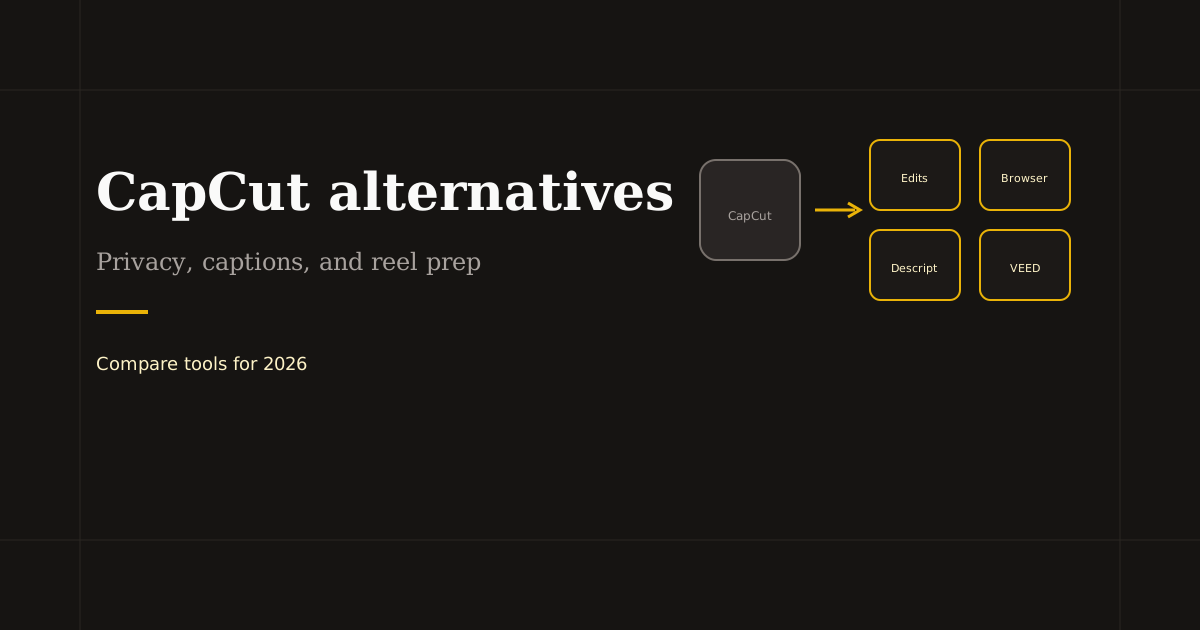
CapCut alternatives for 2026: Instagram Edits, Descript, VEED, and browser editors for private crop and trim. Pick by captions, templates, or local processing.
Best CapCut Alternatives for Reels (2026)

Creators search CapCut alternatives when they hit export limits, want desktop-friendly workflows without ByteDance ties, or need client footage to stay off third-party clouds. No single app clones every CapCut feature — match the alternative to captions, templates, or private prep.

Table of contents

  1. Why creators switch from CapCut
  2. Mobile-first CapCut alternatives
  3. Desktop and browser alternatives
  4. Mix-and-match stack (often beats one app)

Why creators switch from CapCut

Common triggers: privacy concerns on sensitive footage, app bans on work devices, fatigue with template-heavy UI for simple trims, or wanting browser access without installing another mobile NLE.

CapCut still leads for free auto-captions and effect packs on phone. Alternatives make sense when your job is narrower — crop, logo, upload — or when compliance rules forbid cloud video processing.

Mobile-first CapCut alternatives

Instagram Edits — Meta’s free editor with overlays, green screen, and ecosystem audio. Best when you publish only to Instagram and Facebook.

InShot and VN — lighter timelines, good for quick vertical cuts and text on mid-range phones. Less AI, fewer templates than CapCut, often enough for daily posting.

Adobe Premiere Rush — paid Adobe ecosystem, stronger color and sync for creators already on Creative Cloud.

Desktop and browser alternatives

Descript — transcript-first editing and caption burn-in for talking-head reels. VEED — web editor with subtitles and brand kit features; uploads to cloud.

Reels Editor — browser toolkit with local processing: crop 9:16, trim, logo, filters, MP4 export. No auto-captions or template mall — ideal when you want CapCut’s crop step without CapCut’s cloud or install. See also our detailed Reels Editor vs CapCut comparison page.

Mix-and-match stack (often beats one app)

Trim and crop in Reels Editor → captions in Descript or platform → trending audio in TikTok. Or Edits for full mobile polish when privacy is not the blocker.

Document the stack for your team so every reel follows the same export size (1080×1920) and caption path — consistency matters more than loyalty to one logo.

Related reading

  • Free Reel Editor — Browser Tools, No WatermarkTool Guide
  • Best VEED Alternatives for Online Video EditingAlternatives
  • Best Instagram Reel Editor Options (2026)Tool Guide
  • Best AI Reel Editor Tools (2026)Tool Guide

Explorer plus

Tools to apply this guide

Éditeurs photo et vidéo gratuits — privés, dans le navigateur, sans compte.

  • Resize videos for InstagramResize, crop, and reframe video or still images for Instagram Reels, TikTok, and YouTube Shorts.→
  • Trim videos onlineCut long footage into short clips optimized for social media.→
  • Add logo to videoPlace your brand logo on any video or image directly in your browser.→
  • Add transitions to videoInsert a transition clip at an exact timestamp in your base video to create smoother scene changes.→

Frequently asked questions

What is the best free CapCut alternative?
Instagram Edits for Meta creators, InShot for simple mobile cuts, Reels Editor for free browser crop and trim without upload.
Is Reels Editor a good CapCut alternative?
For private browser crop, trim, and logo, yes. For templates and auto-captions, CapCut or Edits remain stronger.
Which CapCut alternative is most private?
Browser tools that process video locally on your device, such as Reels Editor, avoid sending raw footage to an editor cloud.
Can I import CapCut projects into alternatives?
Usually no — export MP4 from CapCut and re-edit, or rebuild in the new tool from source footage.

Resize video to these sizes →

← Back to the blog