Reels Editor — kostenlose Foto- und VideotoolsReels Editor
  • Tools
    Bild
    • Bild unscharf machen
    • Bild skalieren
    • Hintergrund entfernen
    • Bild zuschneiden
    • Bild verpixeln
    Video
    • Reels online bearbeiten
    • Video skalieren
    • Video schneiden
    • Video-Filter
    • Übergänge
    • Logo-Editor
    • Bild zum Reel hinzufügen
    • Video beschleunigen
    • MP4-Kompressor
    • Audio hinzufügen
    Konverter
    Video zu GIF
    • MP4 zu GIF
    • Video zu GIF
    • MOV zu GIF
    • WebM zu GIF
    Bildformate
    • PNG zu JPG
    • JPG zu PNG
    • PNG zu WebP
    • WebP zu PNG
    • JPG zu WebP
    • WebP zu JPG
    • HEIC zu JPG
    • HEIC zu PNG
    Alle Konverter
    Alle Tools anzeigen →
  • Anleitungen
    Ultimate Guides
    • Virales Reel erstellen🔥 Empfohlen
    • Bilder für einen Blog bearbeiten
    • Reels online bearbeiten
    • Instagram Reels Größe
    • TikTok Videoschnitt
    • YouTube Shorts
    • Reels branding
    Alle Guides anzeigen →
  • Reels online bearbeiten
  • Blog
  • Video skalieren
Reels EditorKostenlose Foto- & Videotools
Haupt
Alle ToolsReels online bearbeiten
Bild
Bild unscharf machenBild skalierenHintergrund entfernenBild zuschneidenBild verpixeln
Video
Reels online bearbeitenVideo skalierenVideo schneidenVideo-FilterÜbergängeLogo-EditorBild zum Reel hinzufügenVideo beschleunigenMP4-KompressorAudio hinzufügen
Konverter
Alle KonverterMP4 zu GIFVideo zu GIFMOV zu GIFWebM zu GIFPNG zu JPGJPG zu PNGPNG zu WebPWebP zu PNGJPG zu WebPWebP zu JPGHEIC zu JPGHEIC zu PNG
Ultimate Guides
Alle GuidesVirales Reel erstellen🔥 EmpfohlenBilder für einen Blog bearbeitenReels online bearbeitenInstagram Reels GrößeTikTok VideoschnittYouTube ShortsReels branding
Ressourcen
Blog
Reels Editor

Kostenlose Foto- und Videotools im Browser für Instagram Reels, TikTok und YouTube Shorts.

Deine Dateien verlassen nie deinen Browser.

© 2026 Reels Editor

Beliebte Tools

  • Hintergrund von Bildern entfernen
  • Bild zum Reel hinzufügen
  • Bild online unscharf machen
  • Videos für Instagram skalieren
  • Videos online schneiden
  • Logo zum Video hinzufügen
  • Video-Filter online anwenden
  • MP4-Kompressor online
  • MP4 online zu GIF konvertieren
  • PNG online zu JPG konvertieren

Ressourcen

  • Anleitungen
  • Blog
  • Hilfe-Center
  • Reels online bearbeiten
  • Über uns

Rechtliches

  • Datenschutz
  • AGB
  • Kontakt
Home/Blog/Thumbnail Size Guide for Reels, Shorts & YouTube
← Back to the blog

Table of contents

  1. YouTube thumbnail size (still the CTR king)
  2. Instagram Reel covers and profile grid
  3. Shorts and TikTok cover frames
  4. How to make thumbnails in Reels Editor
Resize video to these sizes →
Format GuideJul 7, 2026

Thumbnail Size Guide for Reels, Shorts & YouTube

Thumbnail and cover sizes that actually get tapped: Reels covers, YouTube 1280×720, Shorts frames, and how to crop a punchy first frame from vertical video.
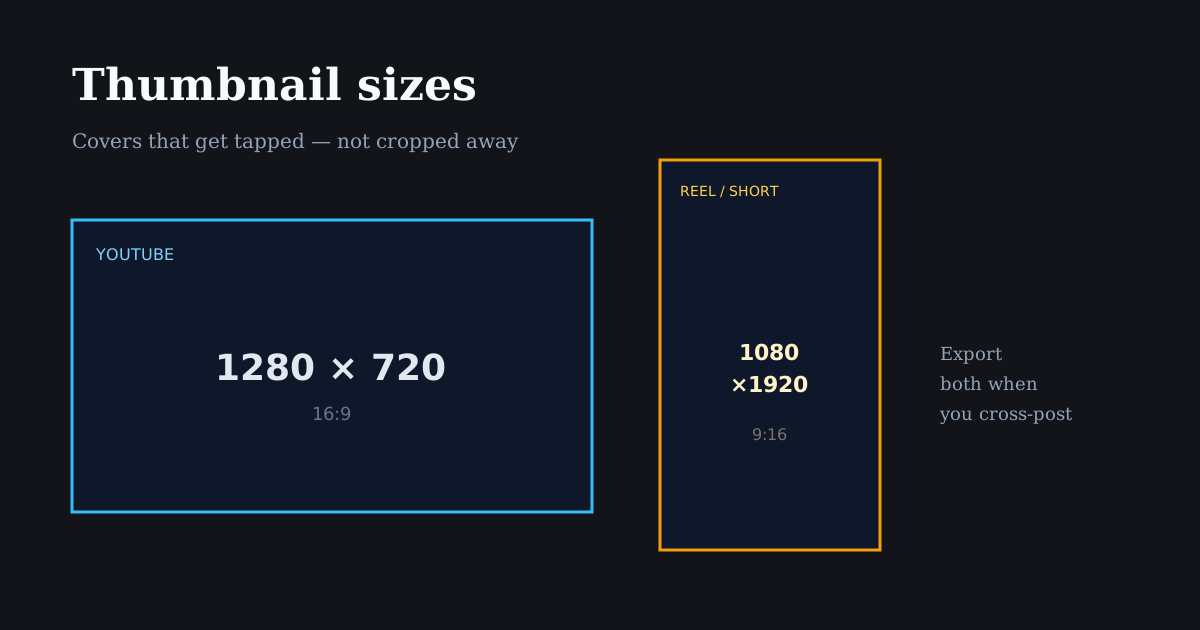
Cover image sizes for Reels, Shorts, and YouTube posters

A weak cover frame wastes a strong edit. Treat thumbnails as their own crop: readable faces, high contrast, and sizes that match each platform’s grid or browse surface.

Quick size reference

PlatformFormatSizeRatioNotes
YouTubeCustom thumbnail1280×72016:9Standard clickable thumbnail
InstagramReel cover (from vertical)1080×19209:16Pick a strong frame; grid may center-crop
YouTubeShorts frame1080×19209:16Vertical; browse UI still matters
TikTokCover frame1080×19209:16Choose cover in TikTok after upload

YouTube thumbnail size (still the CTR king)

Custom YouTube thumbnails should be 1280×720 (16:9). Keep file size reasonable and export a sharp JPG or PNG. Faces should be large, text short, and contrast high enough to read on mobile browse.

Do not design YouTube thumbnails at 9:16 and hope. The browse surface is landscape — a vertical still will be cropped or letterboxed in ways that hide your hook.

If your source is a Reel, export a separate 16:9 still: reframe the hero moment horizontally in Resize Image or capture a landscape alternate take.

Instagram Reel covers and profile grid

Reel covers start from your vertical video. Instagram’s profile grid often shows a center-weighted crop of that cover, so put the face or product in the middle third — not only in a cinematic wide shot with empty center space.

Add cover text sparingly and keep it inside the center safe area. Grid tiles are small; three words beat a paragraph.

Export or choose a cover frame that matches the promise of the first two seconds. Misleading covers hurt saves and returning viewers even if they boost a first tap.

Shorts and TikTok cover frames

Both surfaces are vertical. Your “thumbnail” is often a selected frame from the 9:16 master. Prioritize expression, product clarity, and contrast over decorative end cards.

Because UI chrome still overlays playback, avoid cover text in the lower fifth or far-right strip — the same safe-area rules as the video itself.

When one idea ships to YouTube + Shorts + Reels, budget time for two covers: 16:9 for YouTube and a vertical frame for short-form grids.

How to make thumbnails in Reels Editor

For vertical covers, scrub to the strongest frame while editing, or crop a still with Resize Image / Crop Image to 1080×1920 and export PNG.

For YouTube, switch to the 1280×720 preset, place the subject large, and export. Avoid tiny faces — mobile CTR depends on recognizability at small sizes.

Keep a folder of winning covers. Reuse layout templates (face left, text right, brand mark) so your channel looks intentional.

Related reading

  • GuideSocial Media Size Cheat SheetCopy-ready social media sizes for Instagram, TikTok, YouTube, Facebook, LinkedIn, X, and Pinterest — plus which ratio to use when you only have time for one export.
  • GuideInstagram Reel DimensionsInstagram Reel dimensions are 1080×1920 (9:16). Compare Reels vs Stories vs 4:5 feed crops, caption safe zones, and export settings that stay sharp.
  • GuideBest Reel Size Guide (2026)The best reel size in 2026 is 1080×1920 (9:16). Use this guide for Instagram, TikTok, and YouTube Shorts — plus safe margins and export tips.
  • GuideSafe Area Generator for Reels & TikTokGenerate safe areas for Reels and TikTok before you export. Keep faces, captions, and logos clear of platform UI with simple margin rules and a browser crop preview.

Frequently asked questions

What size should a YouTube thumbnail be?
1280×720 pixels (16:9) is the standard custom thumbnail size.
What size is an Instagram Reel cover?
Covers come from your 9:16 Reel (typically 1080×1920). Design for a center-weighted grid crop.
Can I use the same thumbnail for YouTube and Reels?
Not optimally. YouTube needs 16:9; Reels/TikTok/Shorts need a strong vertical frame. Export both from the same shoot when possible.

Mehr entdecken

Tools to apply this guide

Kostenlose Foto- und Videoeditoren — privat, browserbasiert, ohne Konto.

  • Resize images to exact dimensionsChange the pixel dimensions of any photo without desktop software.→
  • Crop images for InstagramCrop any photo to the aspect ratio you need in seconds.→
  • Resize videos for InstagramResize videos online for Instagram Reels, TikTok, YouTube Shorts and other social platforms.→